Record a line or drop in an entire folder. Add radio character, environmental microphone audio, PTT effects, preview it instantly, and batch export the finished files.
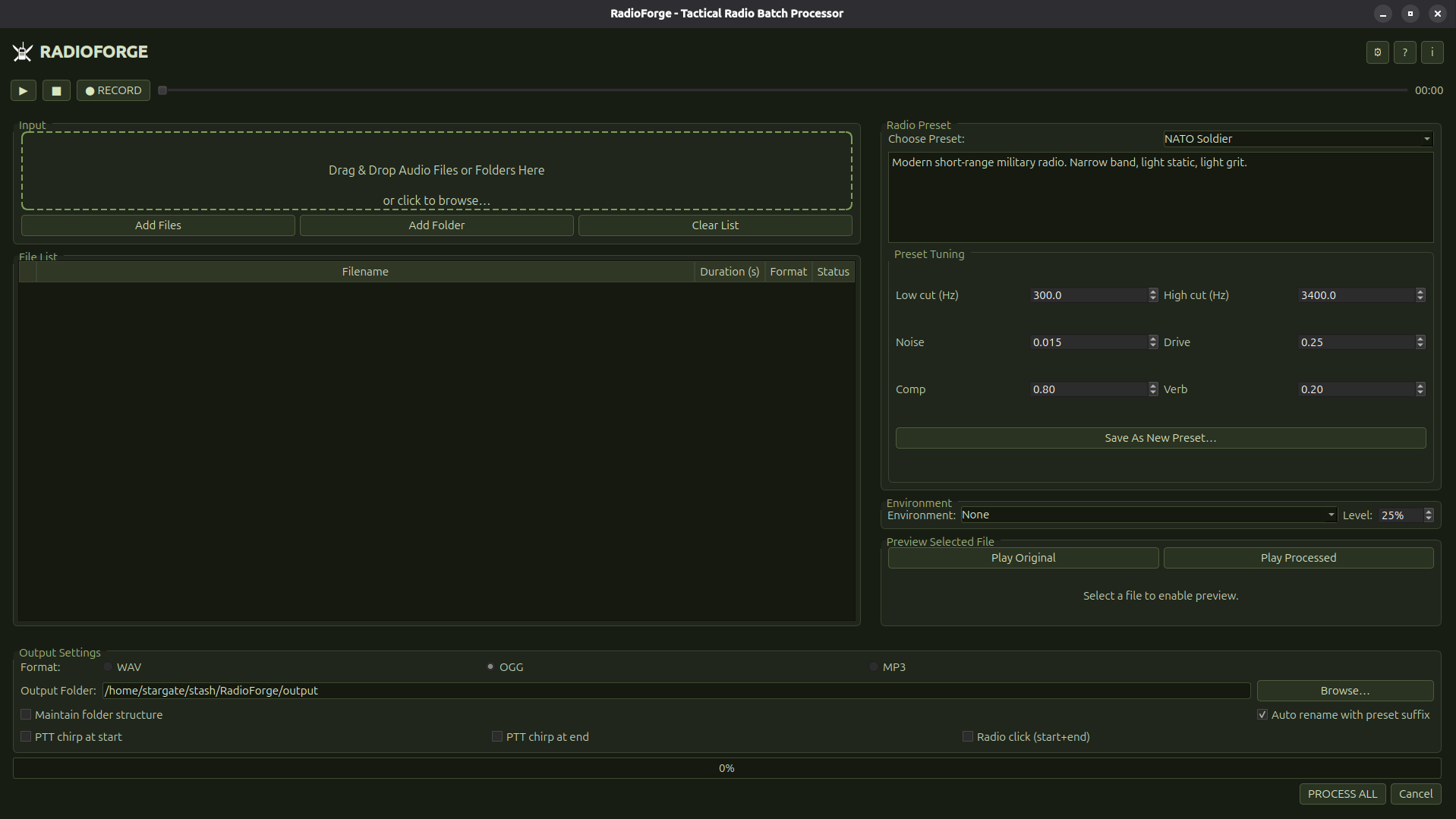
Built around the actual workflow
From a fresh voice line to finished comms without building an audio chain by hand.
Record or import
Record a quick line from your microphone, drag in existing audio, or load a whole folder for batch work.
Shape the radio
Start with a preset, then tune low/high cut, noise, drive, compression and speaker reverb when you want more control.
Add the environment
Mix helicopter, vehicle, combat or other environmental SFX into the microphone signal before the radio treatment.
Preview immediately
Compare the original and processed line before committing the rest of the batch.
Add PTT character
Optional start/end chirps and radio clicks finish the transmission without a separate editing pass.
Process the batch
Apply the same settings across selected files and export WAV, OGG or MP3 consistently.
Choose how you pick it up
Same app, two different storefronts. Direct purchase keeps more of your money going into development, Steam fits neatly into the library you already use.
Download the installer straight from this site. Best if you prefer to keep tools outside of Steam and want the lowest price while still supporting development.
-
Windows and Linux builds
-
Same features and presets
Grab RadioForge through Steam if you want cloud backup, library management, and easy installs across multiple machines in your existing setup.
-
Fits into your existing Steam setup
-
Updates delivered through Steam
Questions
A few quick answers before you dive in.